
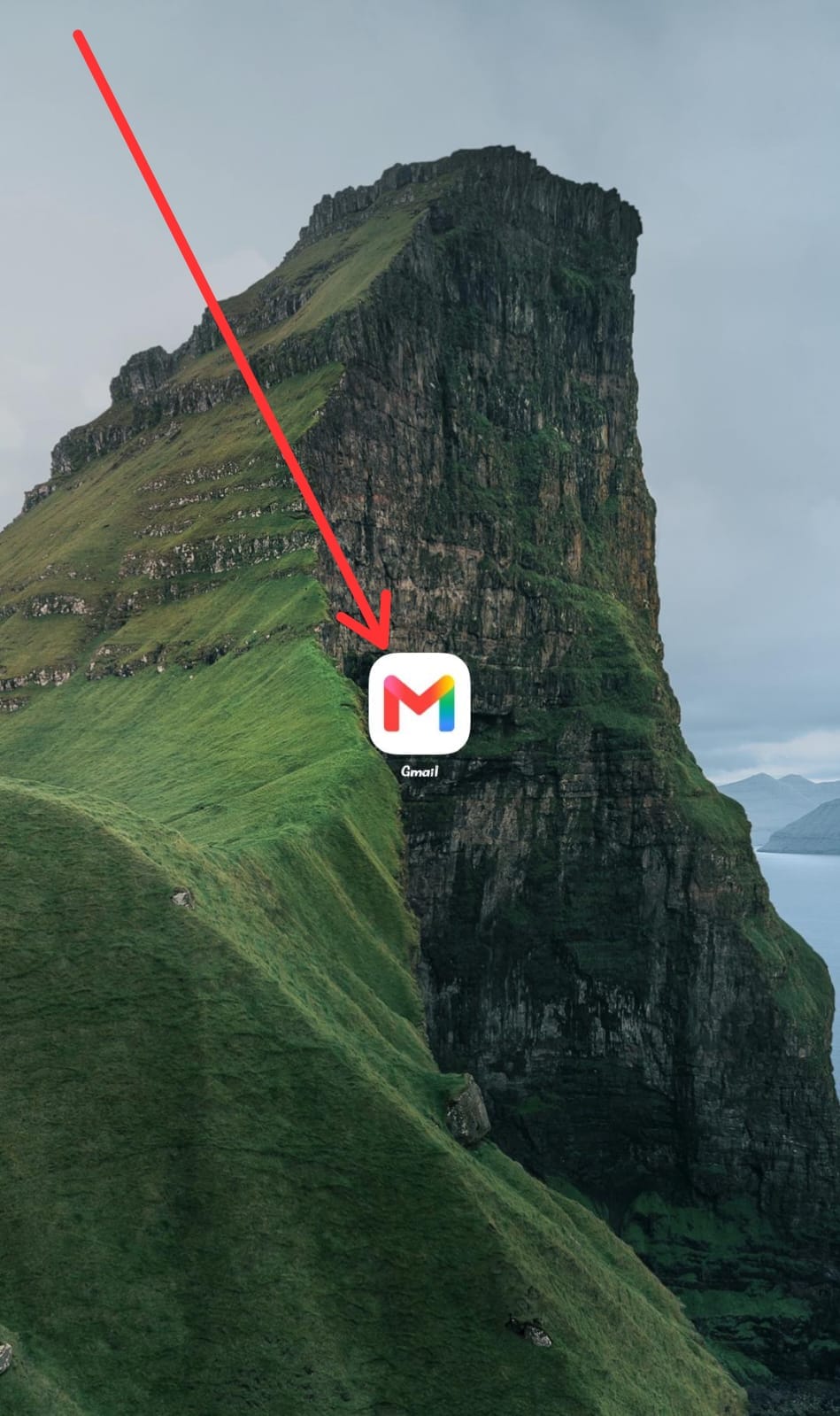
STEP 1
Click on your Gmail App
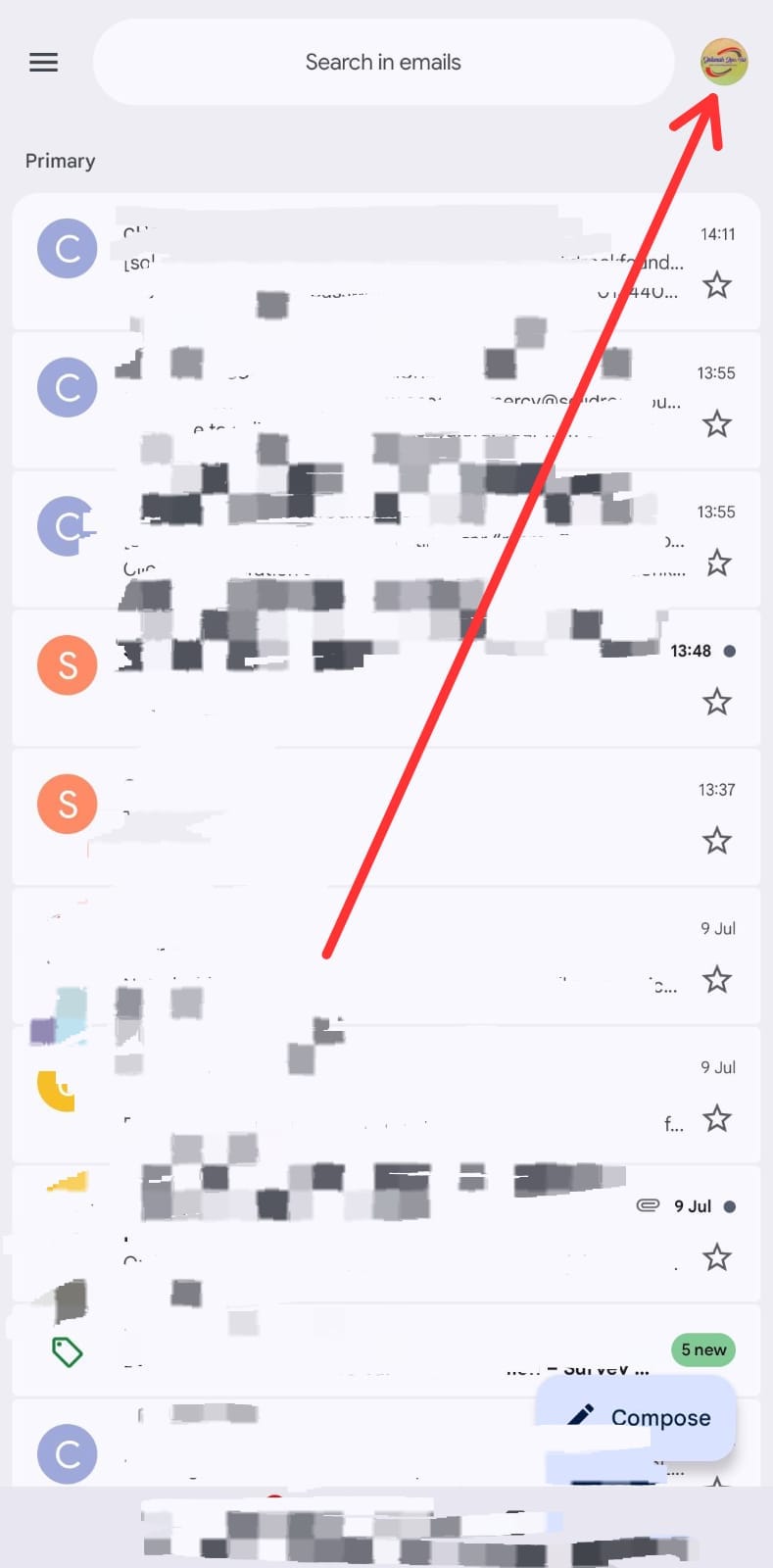
STEP 2
Click on the icon at the top right corner
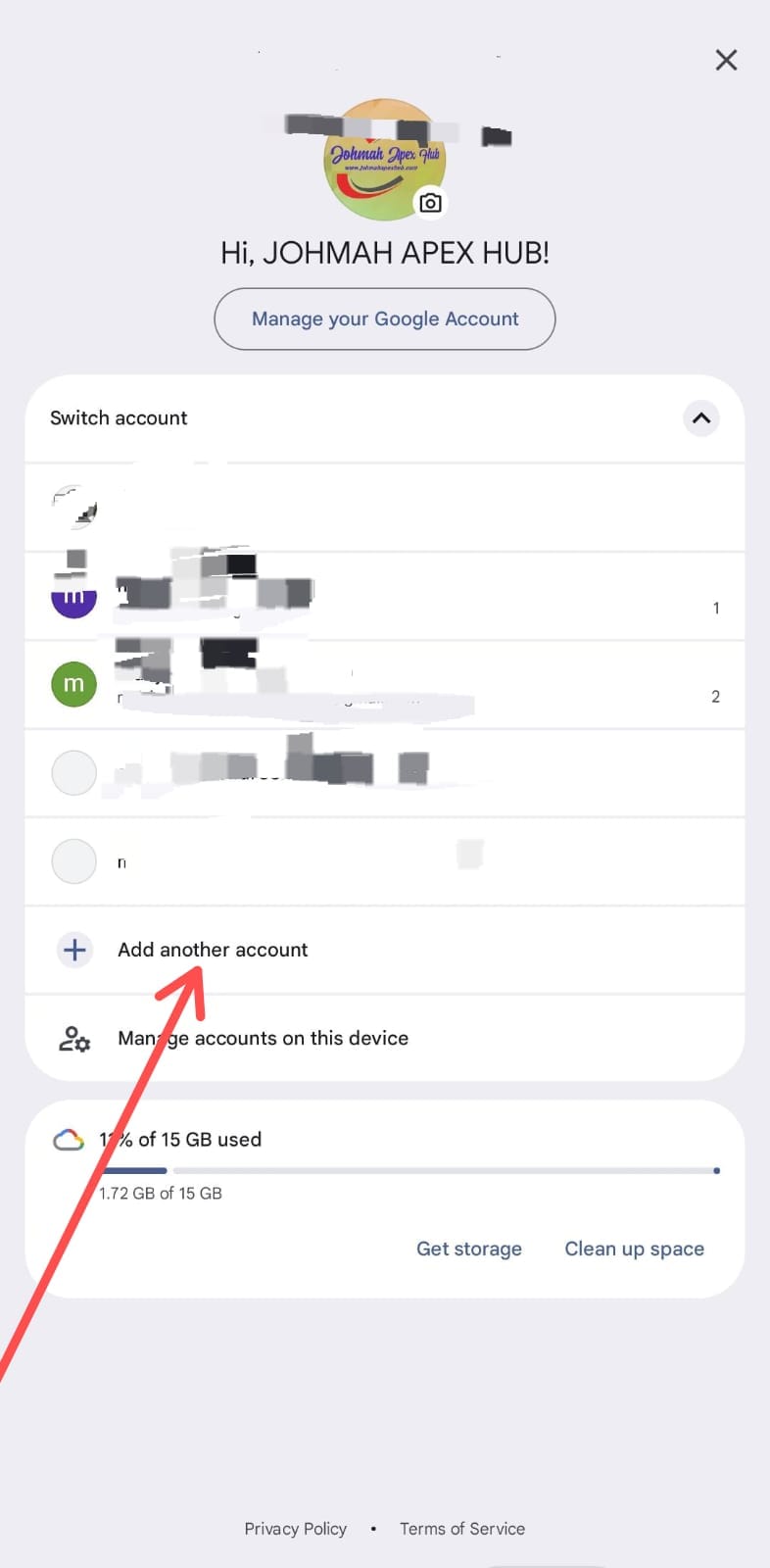
STEP 3
Click Add another account
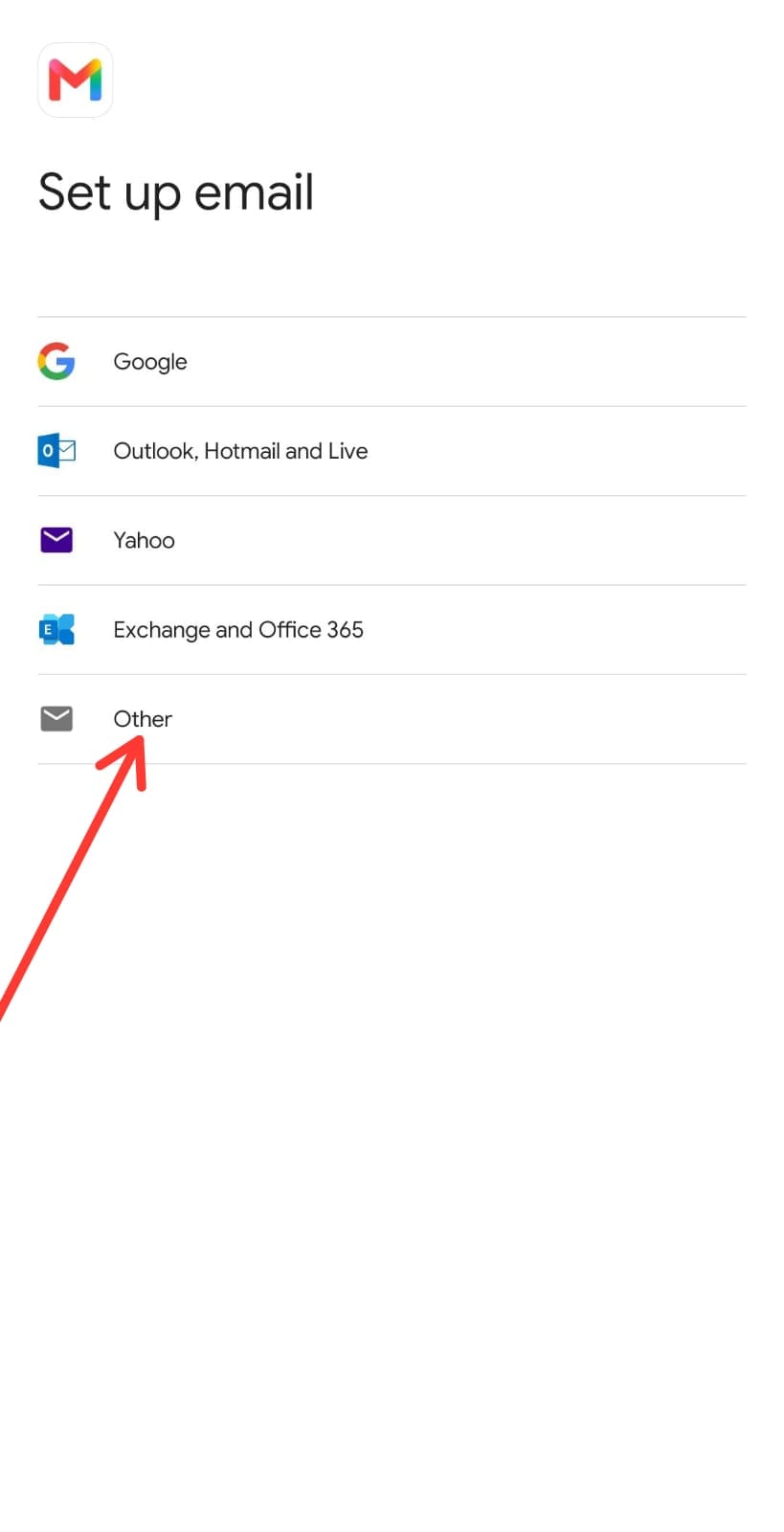
STEP 4
Choose Other
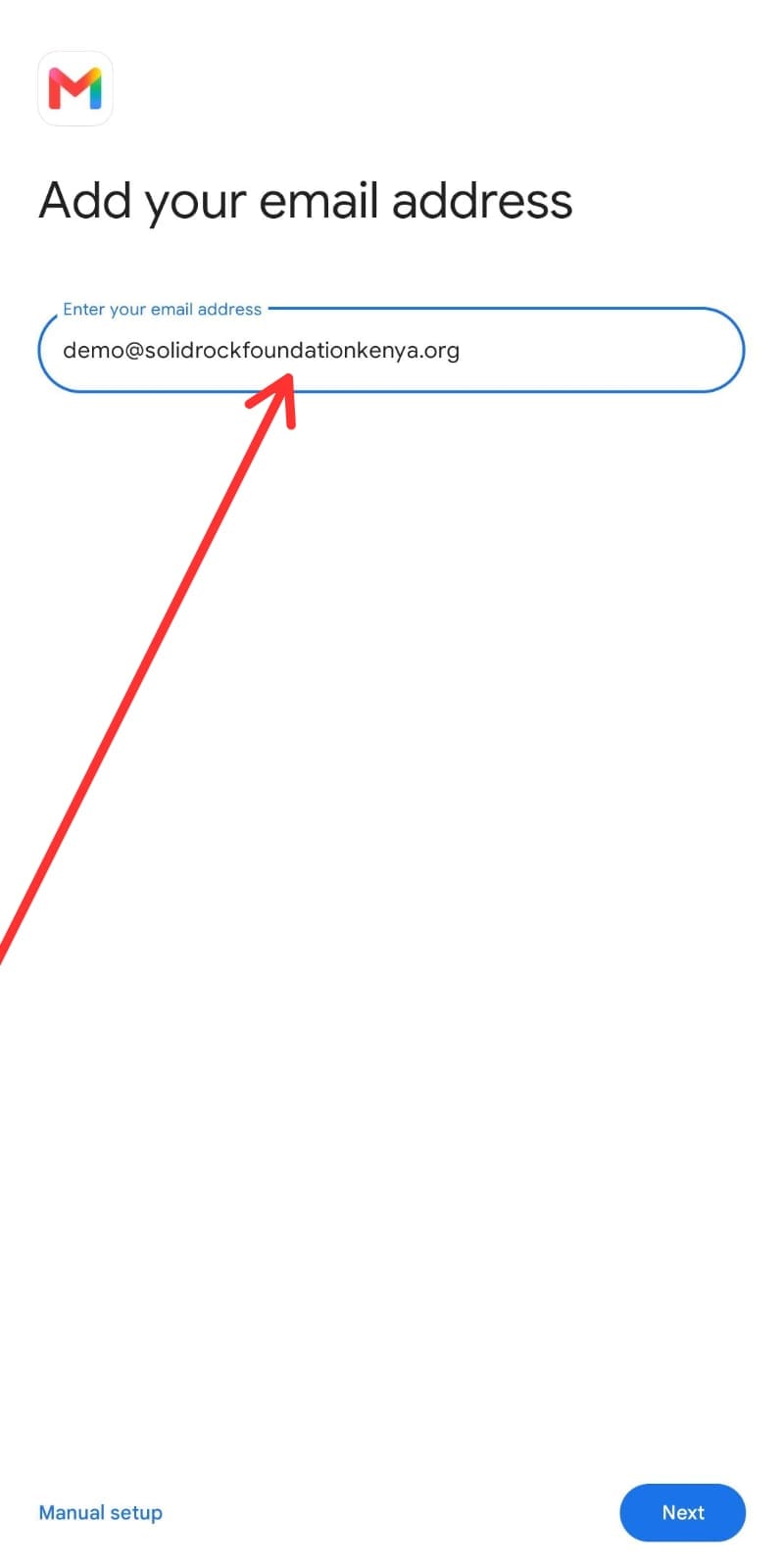
STEP 5
Enter your Assigned Email Adrress
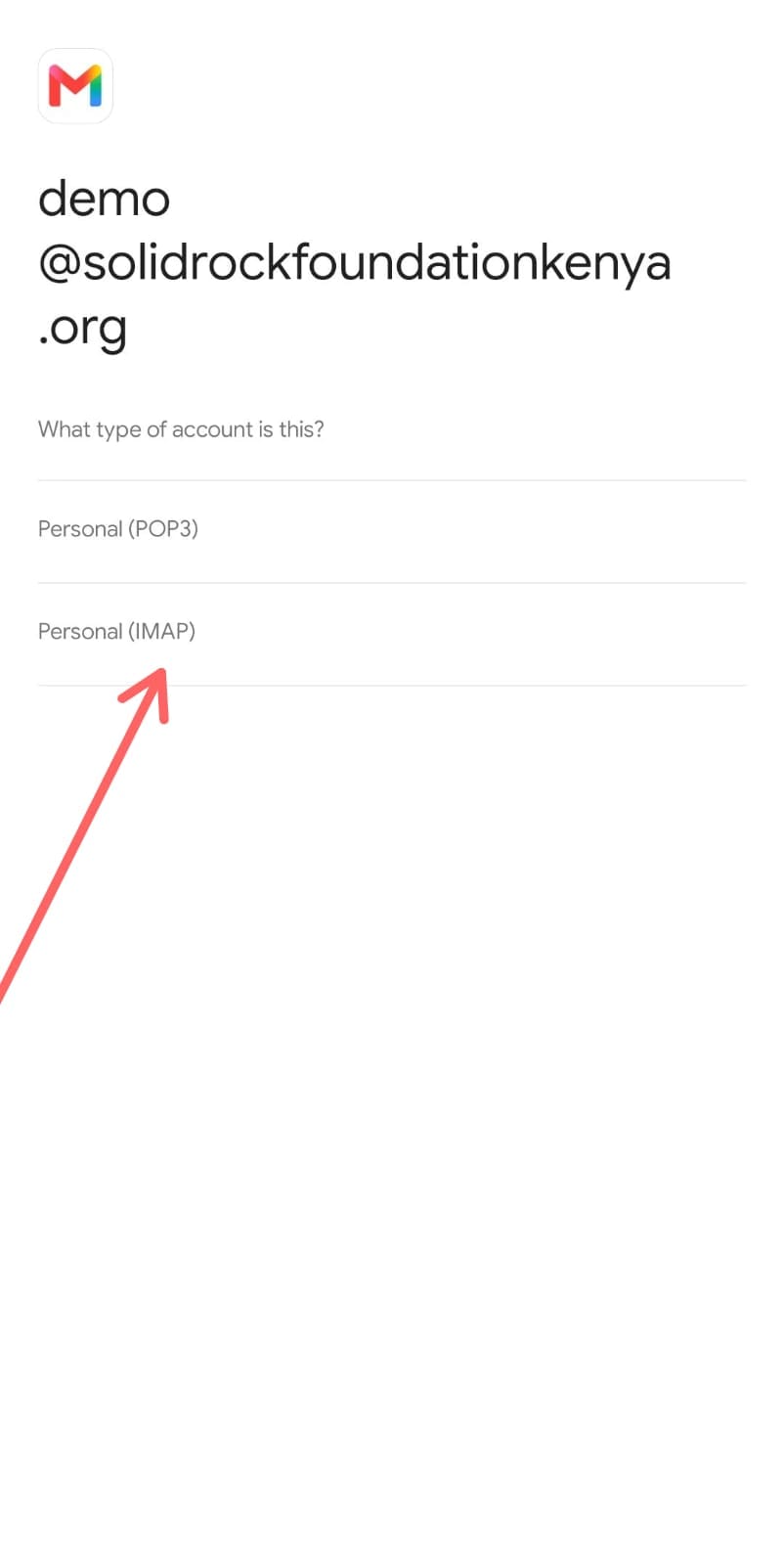
STEP 6
Choose Personal (IMAP)
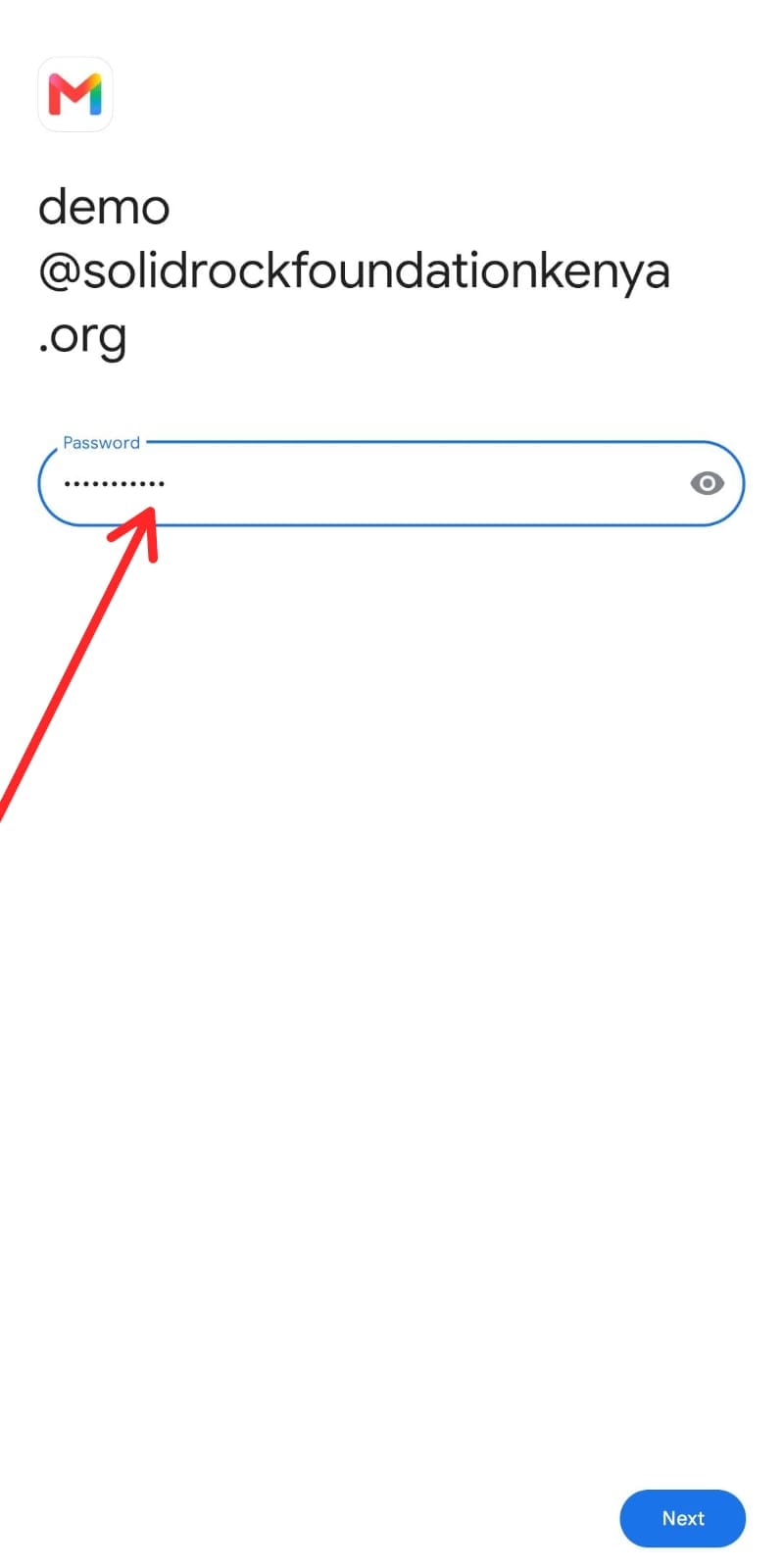
STEP 7
Enter your Password
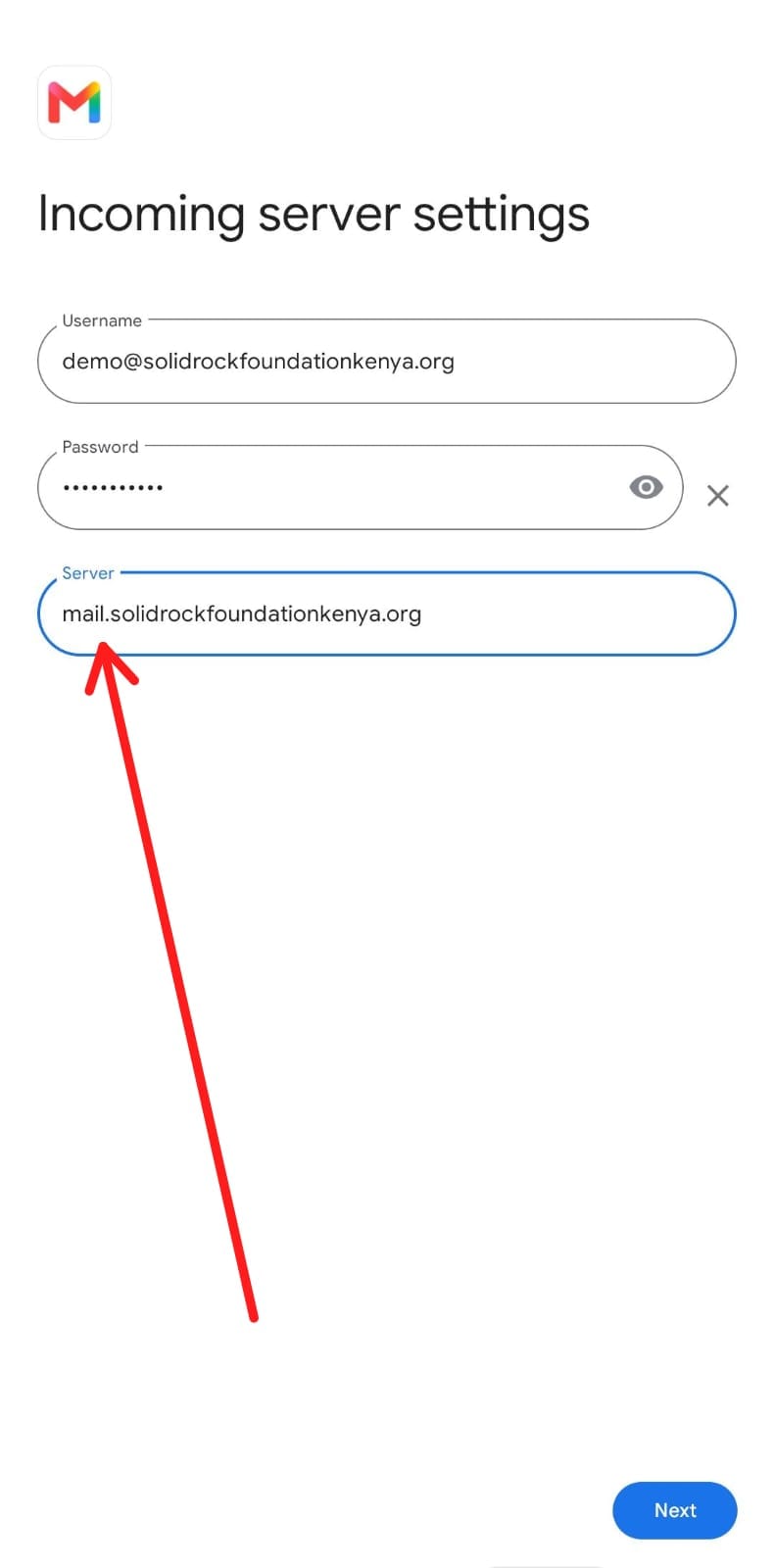
STEP 8
On the Incoming server part, Edit it by inputing mail.solidrockfoundationkenya.org
STEP 9
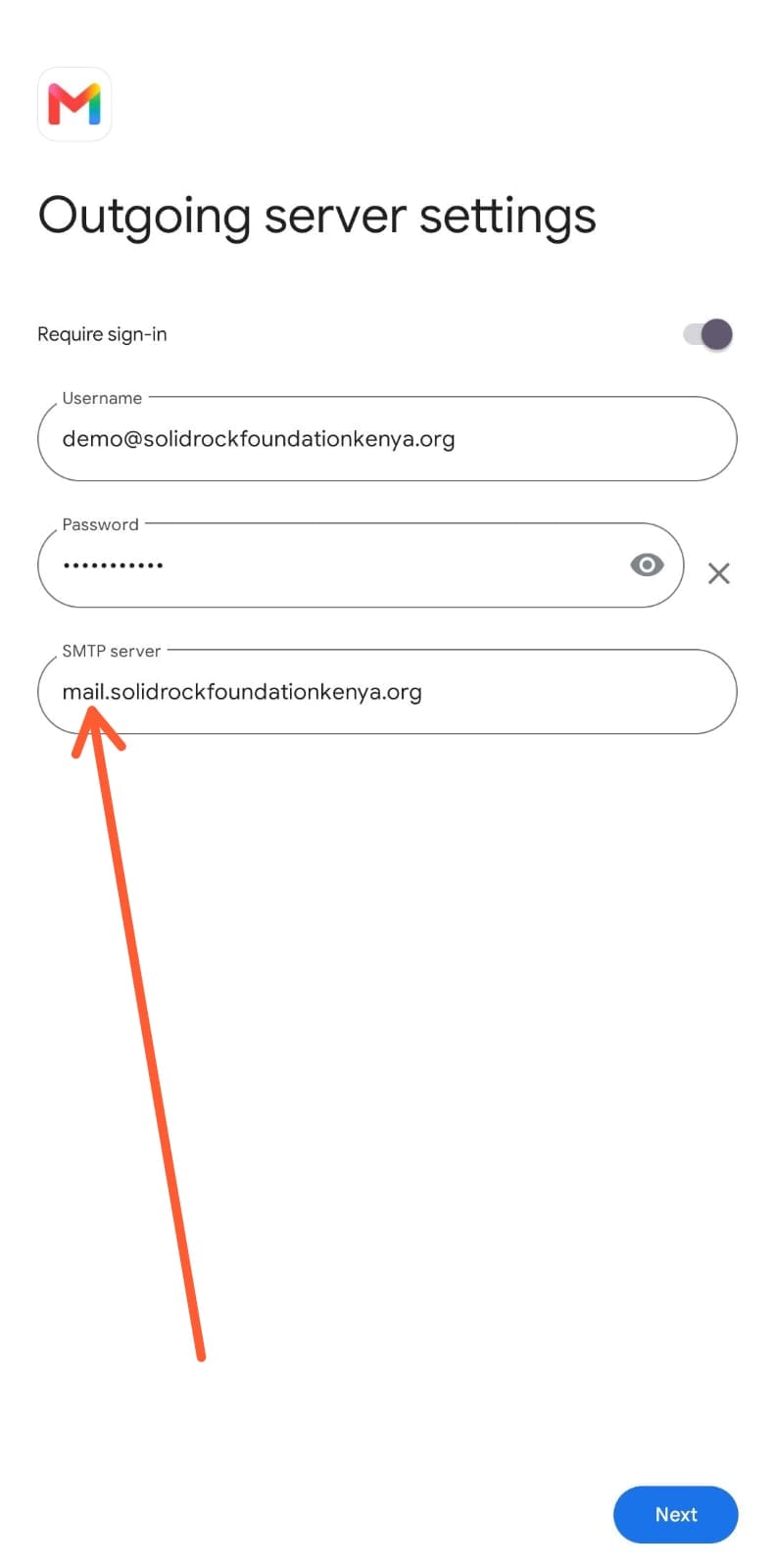
On the outgoing server settings , Edit the SMPT server option by inputing mail.solidrockfoundationkenya.org
STEP 10
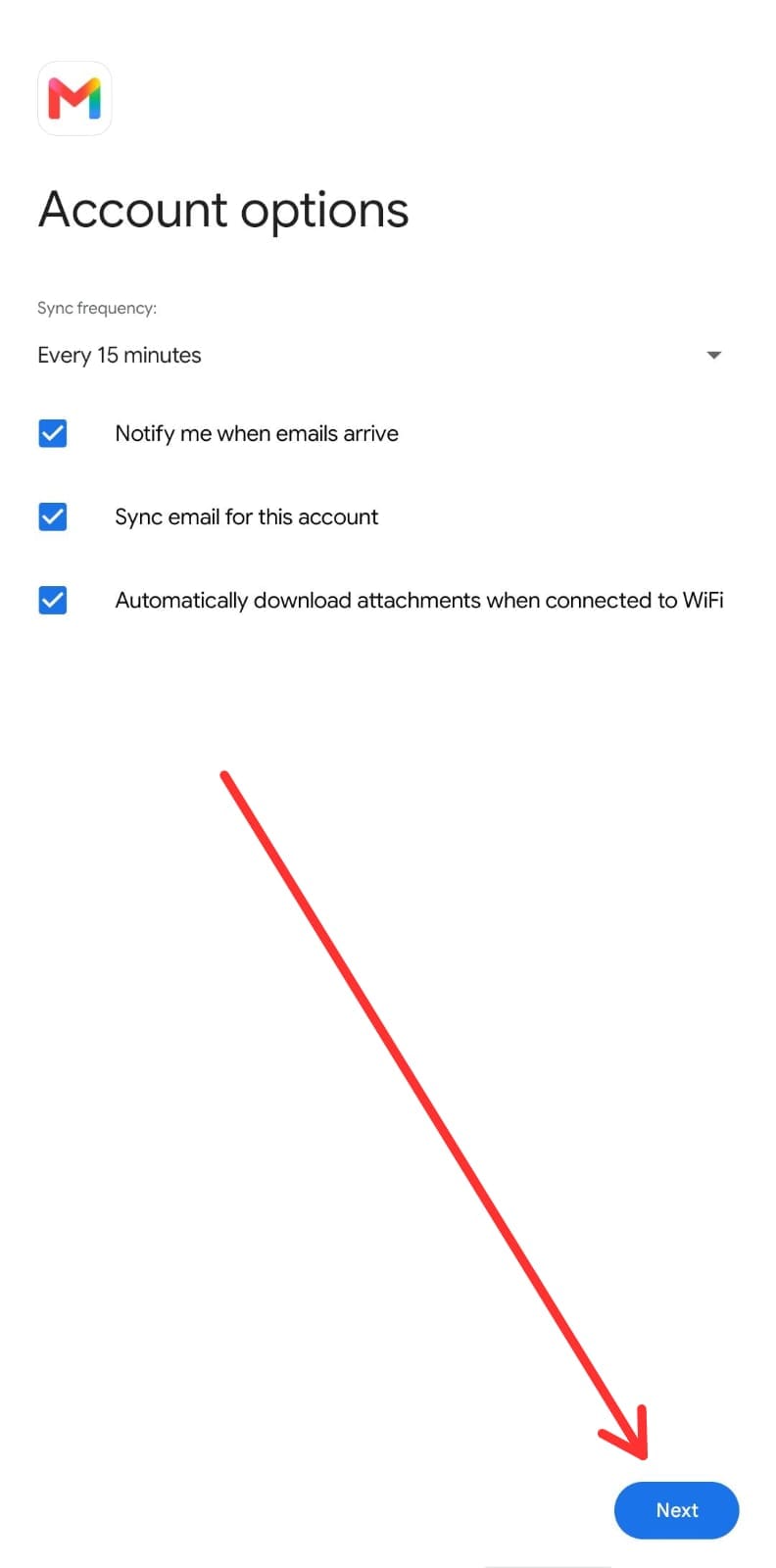
Click Next
STEP 11
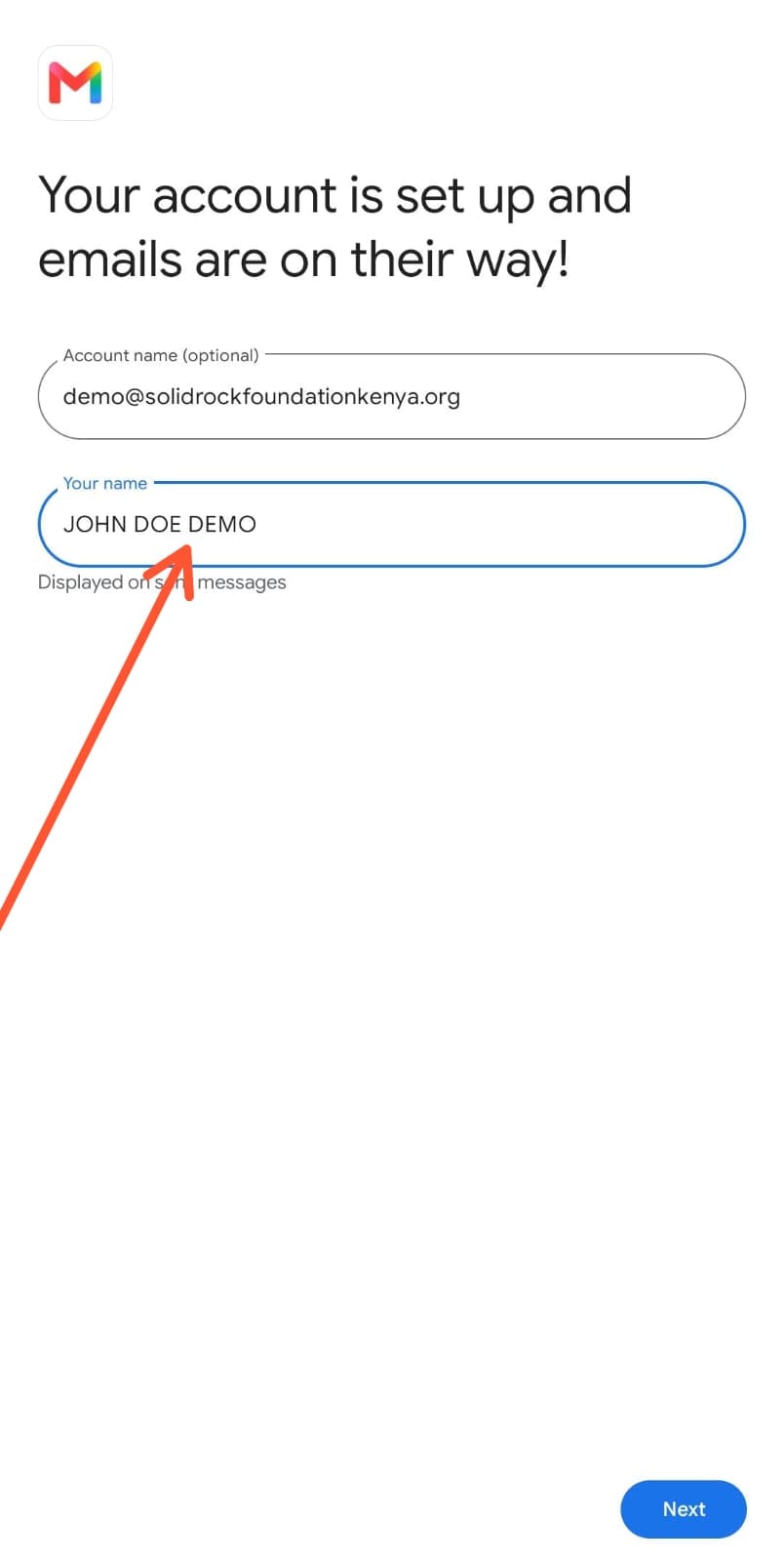
Enter your Name
STEP 12
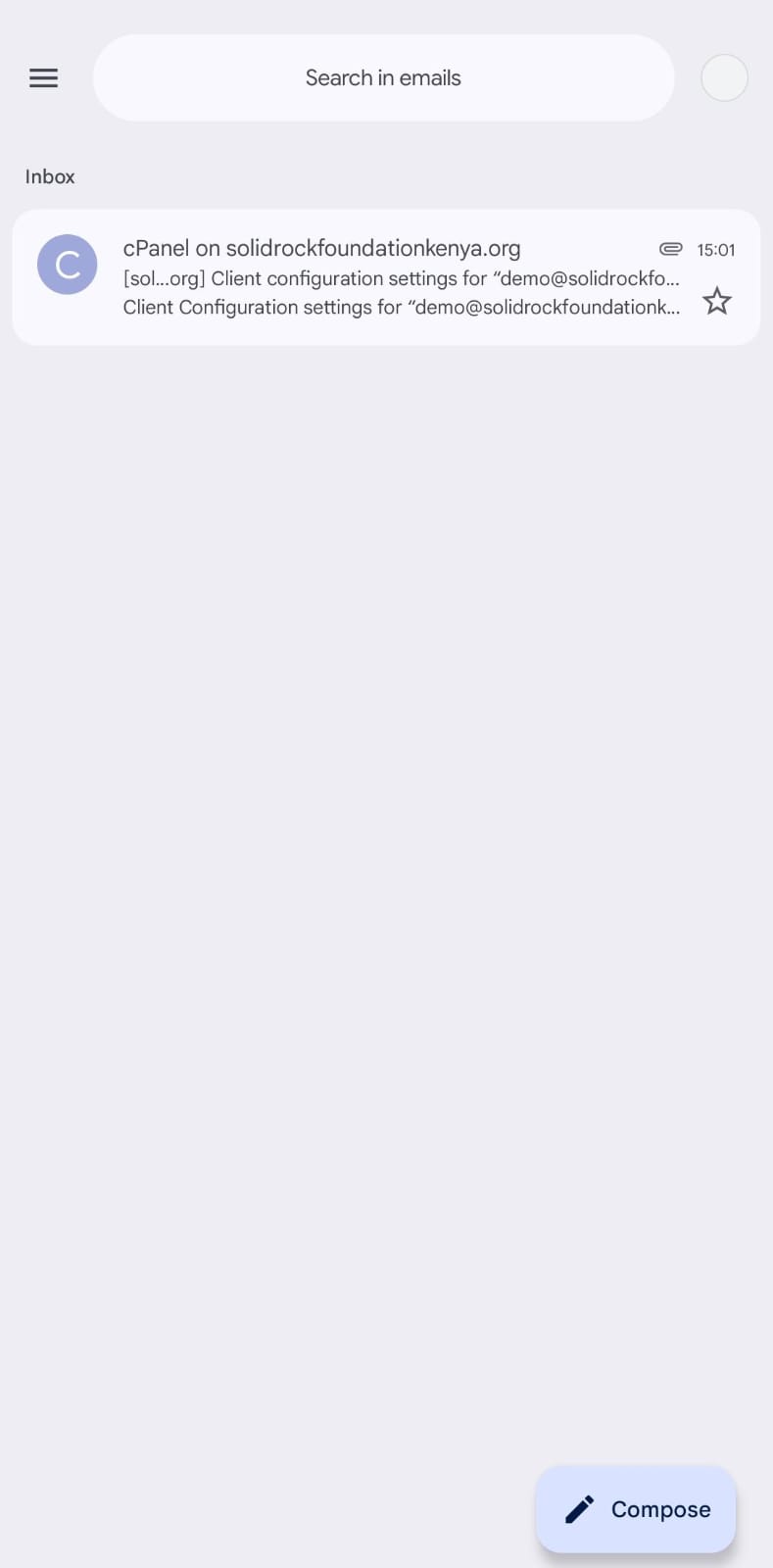
YOU ARE DONE!!! Your Email is ready to send and receive
Need Help?
If you experience any difficulty logging in or require a password reset, please contact:
support@solidrockfoundationkenya.org
Welcome to the team, and thank you for being part of Solid Rock Foundation.
ICT Support Team
Solid Rock Foundation
PASSWORD RESET TAB


